Features
Everything a bug needs to reach a fix
Reports from the phone or the browser, a real-time inspector, fixes by agents and export to your tracker. All of it runs on your computer.
01
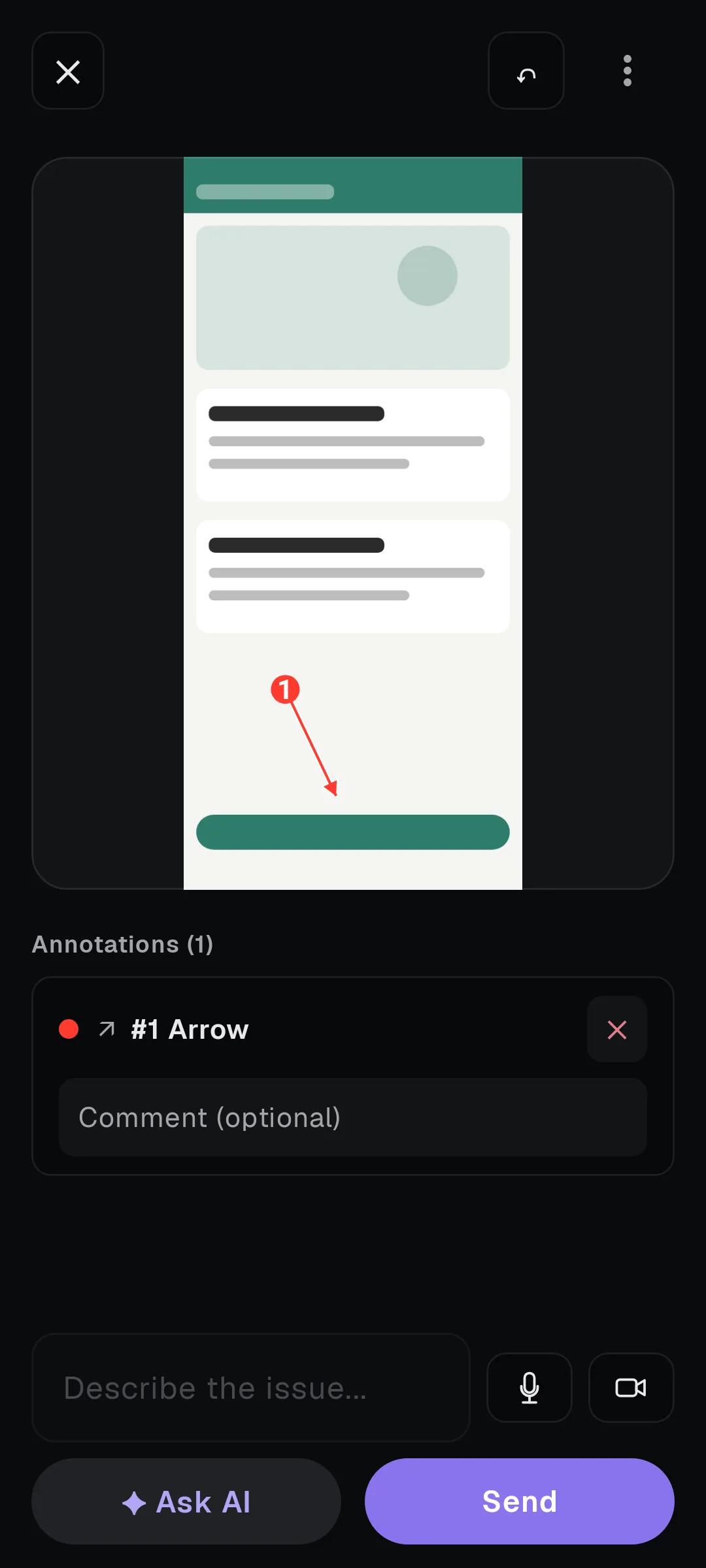
Capture on the phone
QA never leaves the app: the Snapbug button floats over the screen.
- Short hold on the button: a screenshot. Two seconds: a screen recording with voice
- An arrow on the shot and voice notes on each mark
- Shake instead of the button, tablets included
- Report status on the phone: in inbox, in progress, done
- Ask AI from the phone: a question about the code, straight from the Snapbug button
02
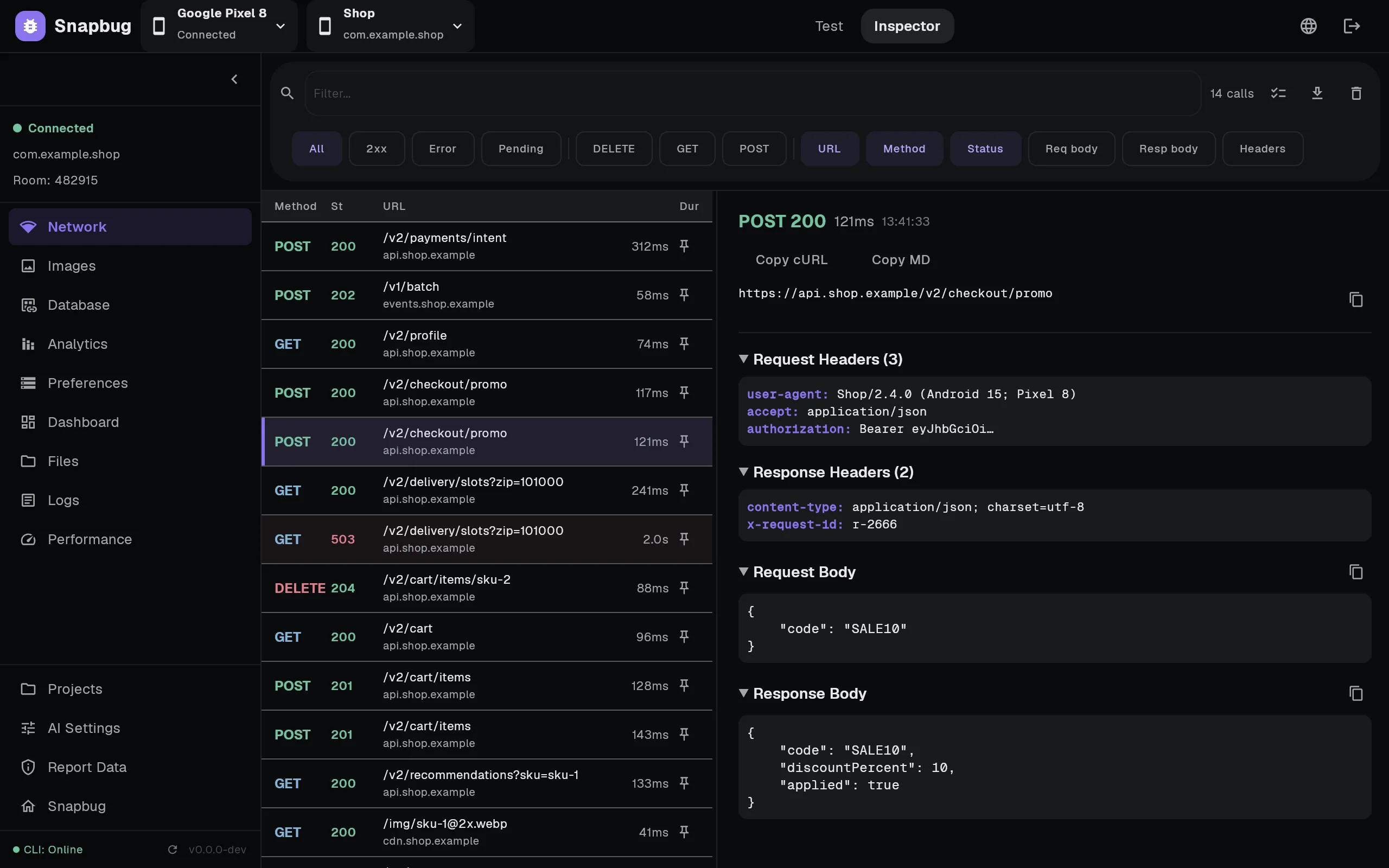
Real-time inspector
The phone pairs with a QR or a six-digit code, even from another network.
- Network: bodies, headers, timings, gRPC, WebSocket, GraphQL
- Database: Room and SQLite tables right on the device
- Logs, crashes with stacks, analytics events
- Files, deep links, SharedPreferences
- Works in the Snapbug window and in a Chrome extension for the web
03
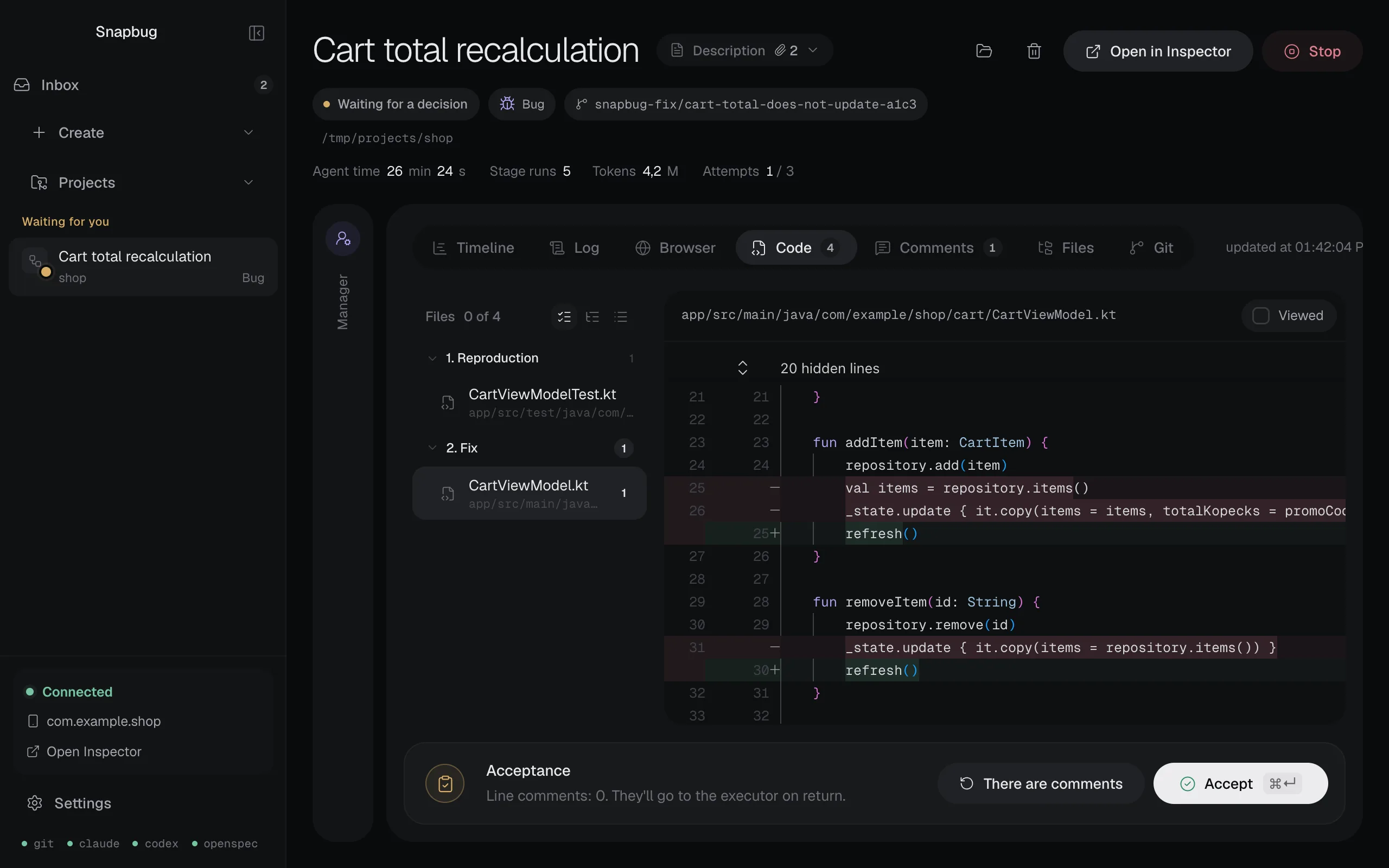
Triage and fix
Agents work on a separate branch of your repository, stage by stage, with checks.
- Repro steps and QA notes from the report's data
- A plan from the agent: you approve it or send it back with a comment
- Claude Code writes the code; your linter and tests run before and after
- Review by a different model, Codex, against the plan
- Acceptance is yours; on Android the fix installs straight onto the phone
04
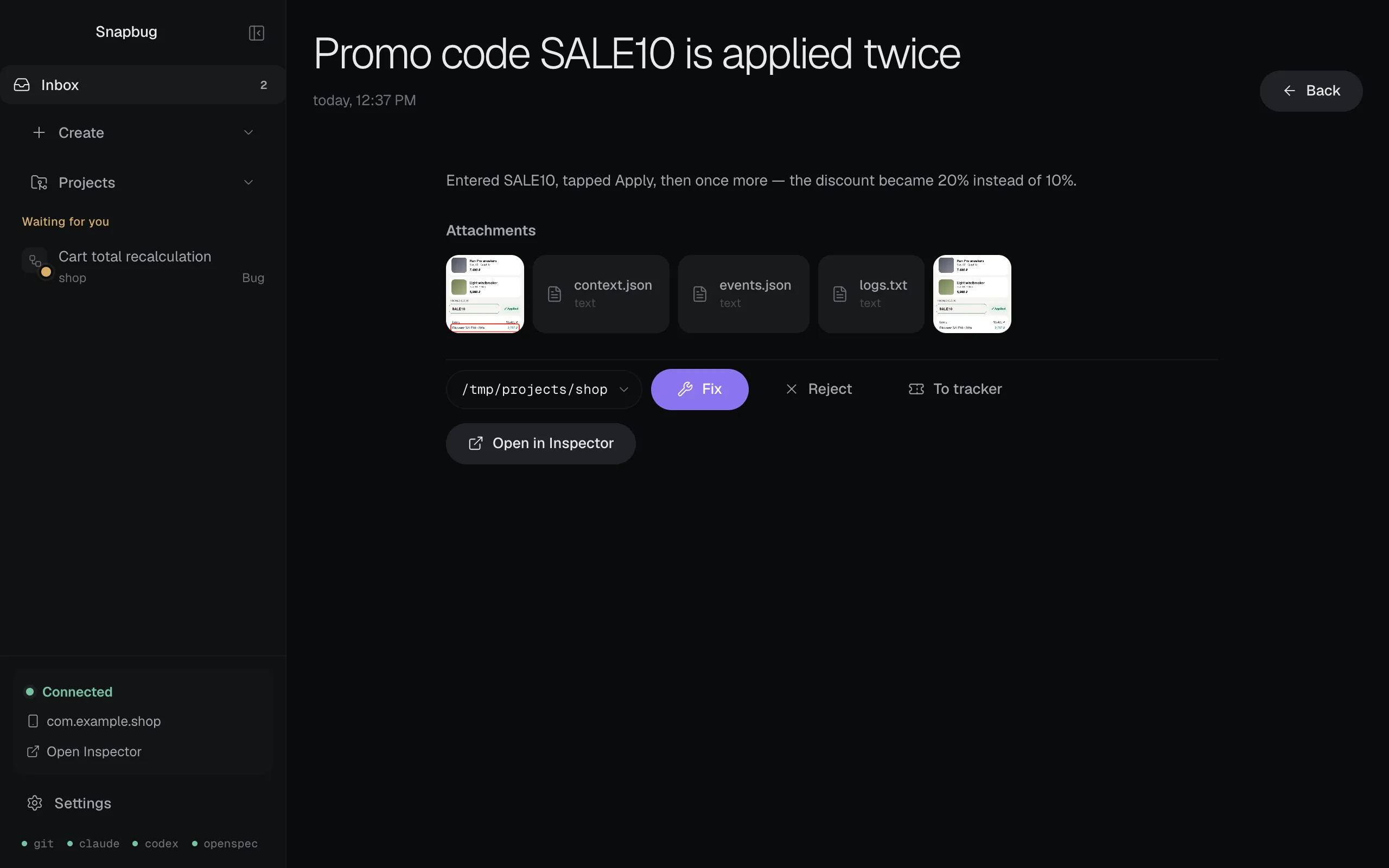
Inbox and trackers
Every report from every phone in one list on your computer.
- Fix it, dismiss it, or open it in the inspector
- Export to Jira, Linear and GitHub with every attachment
- Video, voice and logs as files, all downloadable as one archive
- Voice is transcribed locally, no cloud
Your code stays yours
- Agents run on your computer and talk to the provider directly
- Source and keys never pass through Snapbug's servers
- The relay only forwards phone data and stores nothing
- Release builds get an empty SDK twin with none of the inspector code